💸 How to Donate via PromptPay
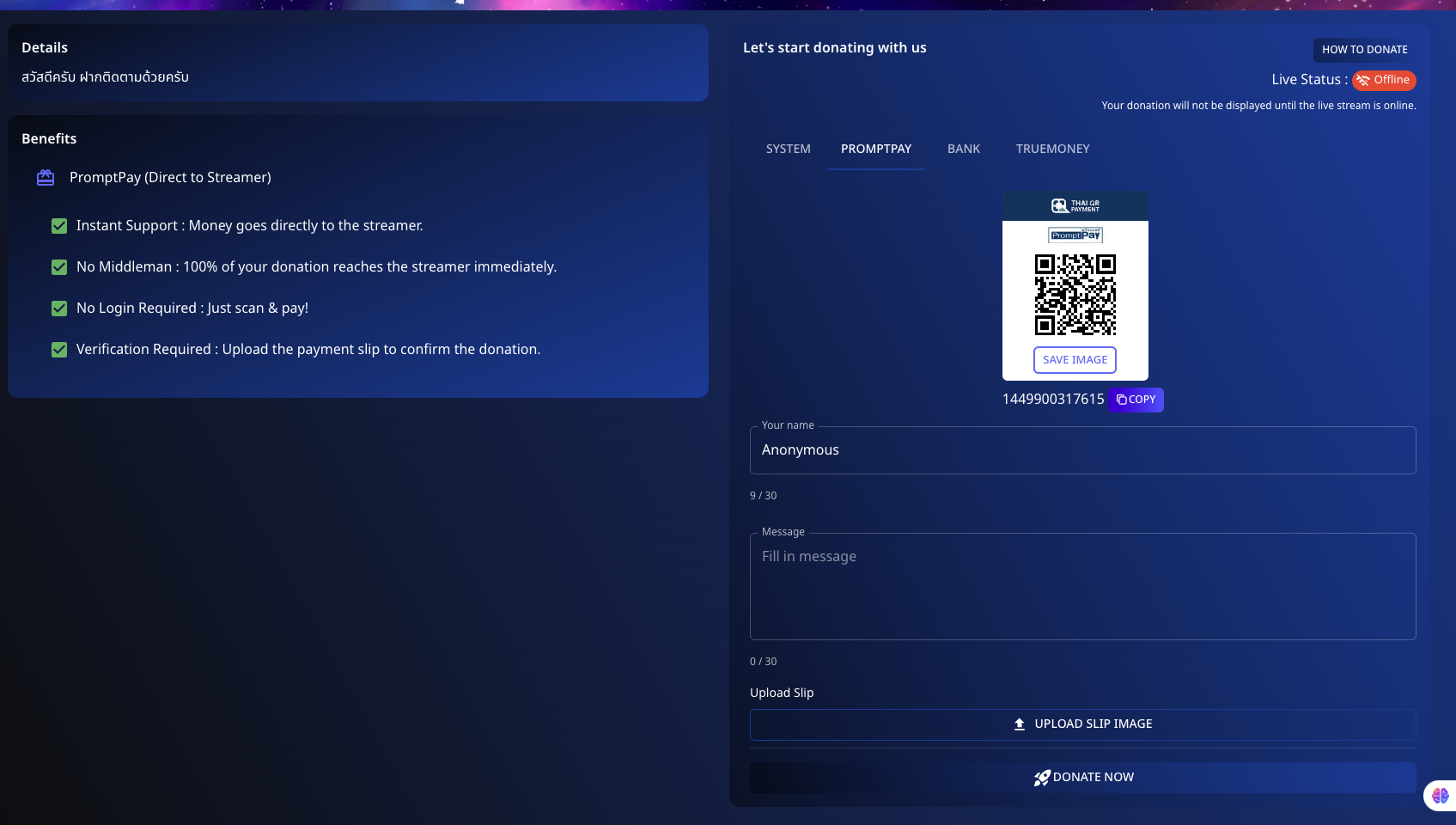
Support your favorite streamers directly and efficiently using PromptPay on Spectrum Live. Here's how you can donate using this method:
📌 Step 1: Prepare Your Donation
- Navigate to the PromptPay option in the donation section.
- Enter your details:
- Name: You can choose to input your name or donate anonymously.
- Message: Include a personal message for the streamer.
📌 Step 2: Scan and Pay
- Scan the QR code displayed on your screen using any mobile payment app that supports PromptPay.
- Complete the payment through your banking app to ensure the donation is sent directly to the streamer.
📌 Step 3: Upload Payment Confirmation
- Upload the payment slip or screenshot to verify your donation.
- Click "Donate Now" to finalize.
💡 Benefits of Using PromptPay
- Instant Support: Money goes directly to the streamer.
- No Middleman: 100% of your donation reaches the streamer immediately.
- No Login Required: Just scan and pay!
- Verification: Upload the payment slip to confirm the donation.
Enjoy a seamless and direct way to support your favorite streamers today!
Feel free to modify this draft or add any additional details specific to your platform.