💳 How to Donate via Credit
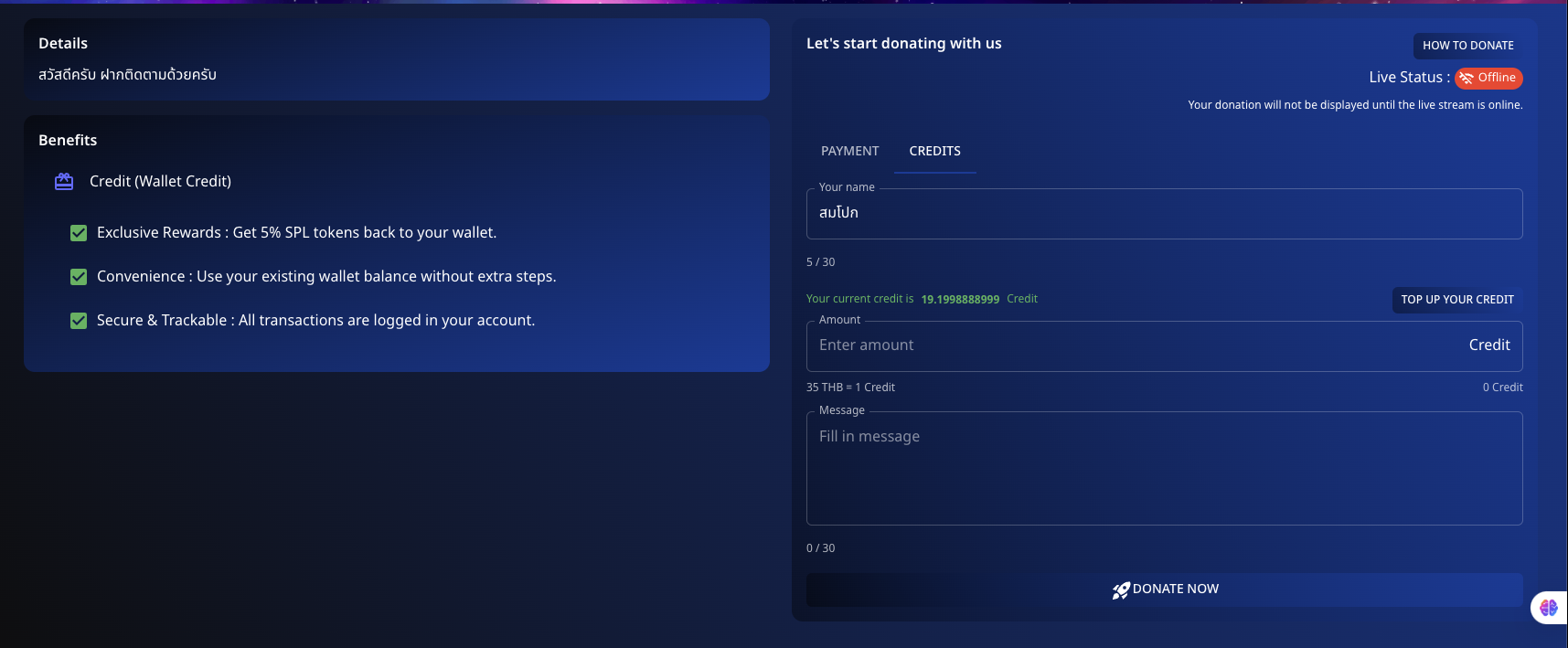
Support your favorite streamers using Credit on Spectrum Live. Follow the detailed steps below to donate efficiently.
📌 Step 1: Log In
Go to the Spectrum Live platform and log in to your account.
📌 Step 2: Top Up Your Credit
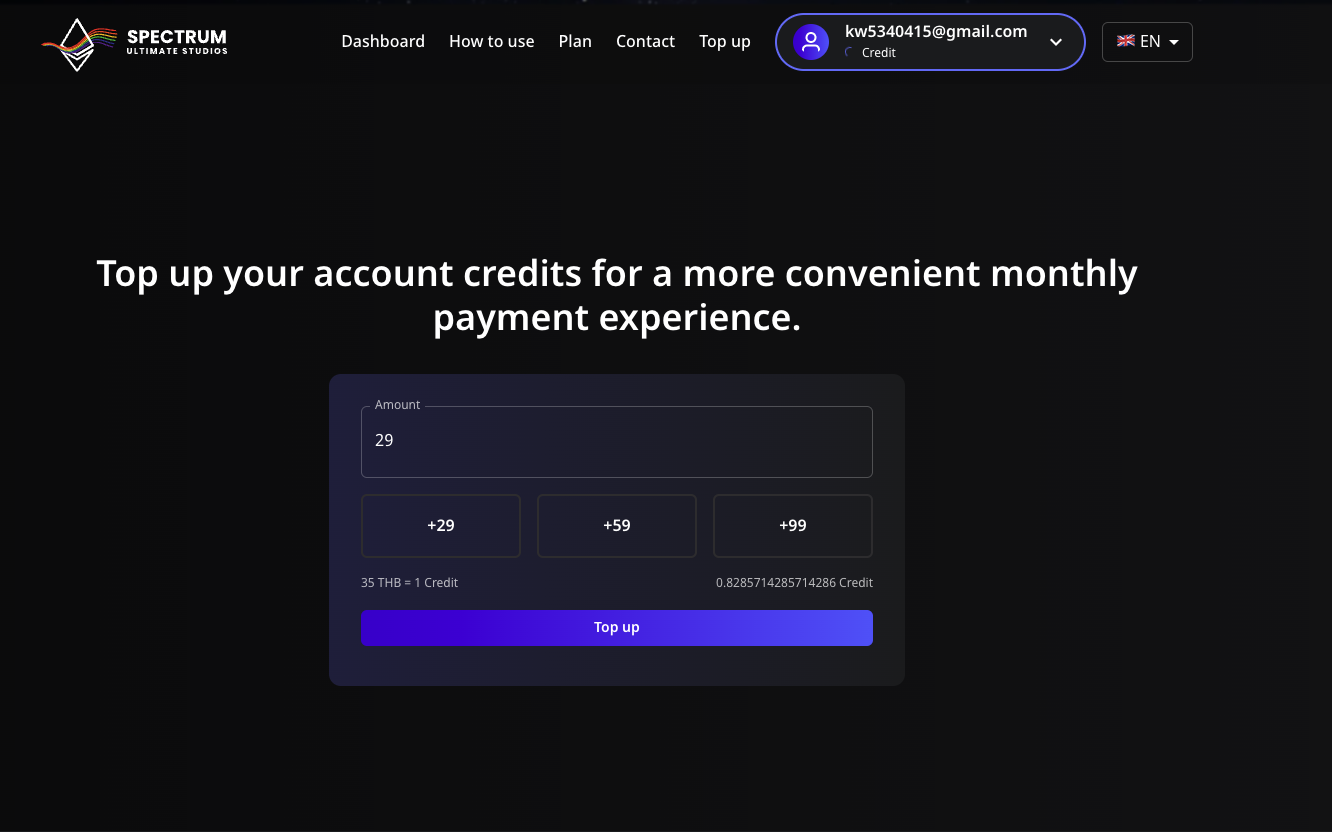
- Navigate to the Credits section.
- Click on "Top Up Your Credit".
- Enter the desired amount of credit you want to top up.
- Scan the QR code provided to complete the payment.
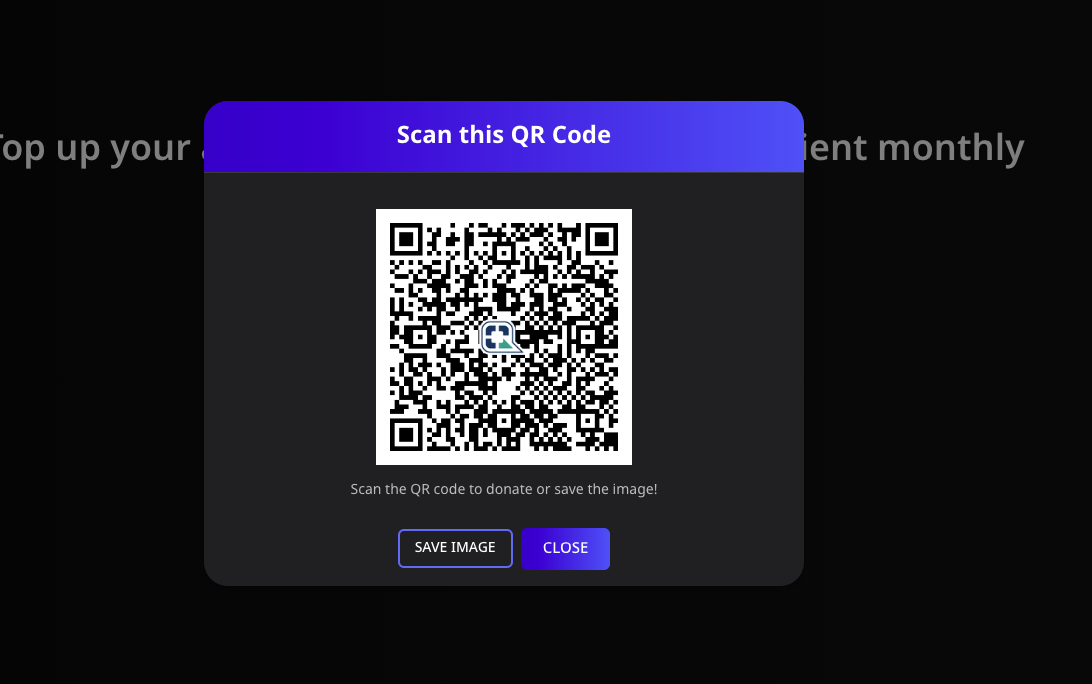
- Once the payment is successful, your account will be credited.
📌 Step 3: Prepare Your Donation
- Return to the donation section.
- Enter your details:
- Name: Enter your name or choose to remain anonymous.
- Amount: Specify the amount of credit you wish to donate.
- Message: Include a personal message if desired.
📌 Step 4: Donate
- Ensure all details are correct.
- Click "Donate Now" to send your credit to the streamer.
💡 Benefits of Using Credit
- Exclusive Rewards: Get 5% SPL tokens back to your wallet.
- Convenience: Use your existing wallet balance without extra steps.
- Secure & Trackable: All transactions are logged in your account.
Experience a seamless donation process with the convenience of credit!
Let me know if there's anything else you'd like to add or adjust!